
On this page
- What Image to 3D Does in Visualizee
- Test 1: One Concept Render to a Pro Model
- Test 2: Front, Side and Back Views
- Test 3: A Whole Room, One Lamp, a Standard Model
- Textured or Clay: Check the Shape Before You Download
- Standard or Pro: Which One to Use
- What It Can't Do
- How to Make a 3D Model From Your Own Image
- Frequently Asked Questions
- From Concept to Prop in Minutes
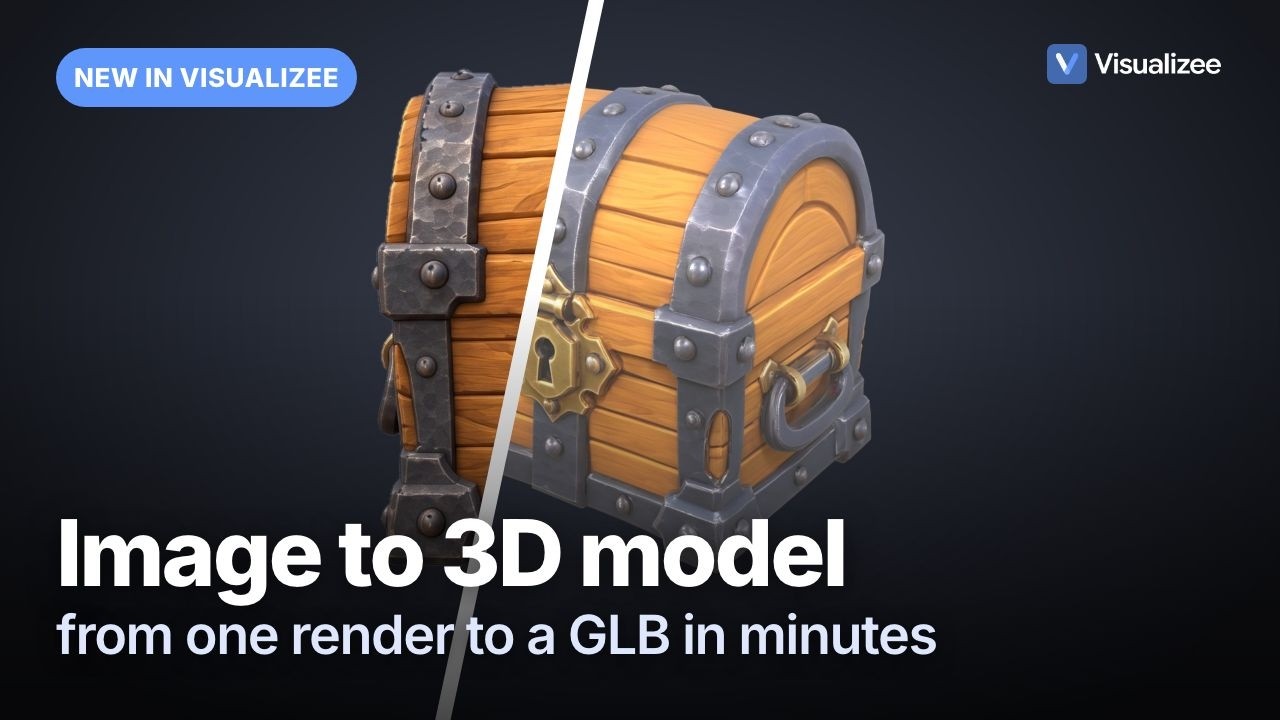
Image to 3D turns a picture of one object into a textured 3D model you can turn, check and download. We tested it in Visualizee, an AI rendering tool where you ask Vizzy, the assistant in the chat, for what you need, on the kind of job game developers bring: a stylized treasure chest for a game, first from a single concept render, then from three drawn views, and a paper floor lamp cut out of a room photo. Each model took 2 to 4 minutes and came back as a GLB file. The front always held. What the back looked like depended on how many views we gave it.
Quick answer: Start from a clean image of one object, whole, on a plain background. Ask Vizzy to "make it a 3D model". One view gives you a model with a guessed back; add a side and a back view and the model follows your drawing. Check the shape in Clay, then download the GLB for Unity, Godot or Blender. Pro costs 900 credits per model, Standard 300, on the Pro and Max plans.
What Image to 3D Does in Visualizee
It is a third output next to Image and Video: you give it one to four images of one object and get back a textured 3D model. Every model starts from an image, the same way a video starts from one. There is no text-only 3D: if you only describe the object, Vizzy renders the concept image first and builds the model from that.
The model comes back in the chat, where you can drag it around, switch between Textured and Clay, and download it. Two levels of detail are on offer, and you pick them in the same quality menu as for images:
- Pro runs on Hunyuan 3D 3.1 Pro and gives the most detail: textures at 4K, 900 credits per model.
- Standard runs on Tripo H3.1, costs a third of that (300 credits) and gives smaller files with softer textures.
The price is the same for one view or four, so you are never charged more for giving it better input. 3D is on the Pro and Max plans.
Test 1: One Concept Render to a Pro Model
From a single front-facing render, the model matched the front closely and invented a plausible back. We started with no image at all and typed:
I need a 3D model of a stylized wooden treasure chest for my game
Vizzy explained that a 3D model starts from an image and offered to render the concept first. We said yes, approved a square frame, and 32 seconds later had a chest on a plain grey background (150 credits). Then one more message:
Make it a 3D model
Vizzy switched the output to 3D, asked to approve 900 credits, and the model arrived 3 minutes 23 seconds later.

The front is a close match: the padlock, the rivets on every band, the ring handles on both sides, the copper corner caps. The back is a guess. The concept render only showed the front and one side, so the model gave the back plain planks and three bands, which is reasonable for a chest and might not be what you had in mind.

The full GLB was 43.7 MB, with 4K textures. Because it is over 8 MB, Visualizee also made a lighter copy with 2K textures at 2.9 MB, which is the one the viewer loads. Both are in the Download menu.
Test 2: Front, Side and Back Views
With three drawn views, the back of the model followed the drawing instead of being invented. We took three renders of a second chest (front, side and back, all on white) and attached them to one message:
Make a 3D model for Unity from these views
Vizzy looked at the three images, tagged which side each one showed, and built the model in 3 minutes 48 seconds, again for 900 credits.


The back of the model has the same vertical band down the middle, the same horizontal planks and the same riveted corner plates as the view we drew. The side has the D-shaped handle and the arched lid. Compared with Test 1, nothing on this model had to be guessed except the underside.
Two things made this work. The three views show the same chest at the same size, in the same flat light. And each view is the whole object: nothing cropped at the edges, nothing in front of it. Views that disagree with each other (a handle on the left in one, on the right in another) give the model two answers to choose between.
Test 3: A Whole Room, One Lamp, a Standard Model
A whole room is not one object, so Vizzy asked which piece we wanted before spending any credits. We attached a photo of a living room and wrote "make this a 3D model". Vizzy answered with a choice: the paper floor lamp, the wood slat coffee table, the sofa, the ceramic tea set, or something else.

We picked the lamp. Vizzy rendered it on its own on a plain background first (29 seconds, 150 credits), then we switched the output to 3D, chose Standard, and asked to turn the lamp into a 3D model. It took 2 minutes 12 seconds and 300 credits.

The ribbed paper shade and the three thin wire legs both made it into the mesh. The glow did not become a light: it is painted into the texture, so the lamp looks lit in any scene, and you add the actual light in your engine. The Standard file was 4.0 MB, small enough that no lighter copy was needed.
Textured or Clay: Check the Shape Before You Download
Clay hides the textures so you can judge the shape itself, which is where a model usually goes wrong. Paint can make a flat surface look carved; Clay shows what is really in the mesh.

On the chest, the planks, rivets, keyhole plate and handle are all real geometry, not just texture. That matters in a game: light and shadow fall on them, and a player who walks around the prop sees them from every angle.
When it looks right, download the GLB. GLB is the binary form of glTF 2.0, one file with the mesh and its textures inside. The Godot documentation lists glTF 2.0 as its recommended 3D format and notes that .glb is the smaller option. Unity imports glTF with the glTFast package, both in the Editor and at runtime. Blender opens GLB directly, which is also the easiest way to convert it to FBX if your pipeline needs that.
Standard or Pro: Which One to Use
Use Pro for anything the player looks at up close, and Standard for background props and quick blockouts. Both take a few minutes and accept the same one to four views.
| Test | Input | Level | Time | Credits | GLB |
|---|---|---|---|---|---|
| Treasure chest | 1 concept render | Pro (Hunyuan 3D) | 3 min 23 s | 900 | 43.7 MB, plus a 2.9 MB light copy |
| Second chest | Front, side, back views | Pro (Hunyuan 3D) | 3 min 48 s | 900 | 46.9 MB, plus a 3.3 MB light copy |
| Paper floor lamp | 1 isolated render | Standard (Tripo) | 2 min 12 s | 300 | 4.0 MB |
Pro textures are sharper and the files are bigger; the light copy is usually what you want on mobile or the web. Standard textures are softer, and the files are small to begin with. In both, we cap the mesh at about 50,000 faces.
What It Can't Do
It makes one static model of one object from images; anything beyond that is still work for your 3D artist or your engine.
- No rig, no animation. Every model is static. A character comes out in the pose of the image, with no skeleton.
- No production topology. The mesh is dense triangles with baked textures, not clean quads with a tidy UV layout. Fine for prototypes and background props; a hero asset still needs retopology.
- One object per model. Rooms, scenes, facades and UI screens are not models. Vizzy asks which object to isolate instead.
- The back is guessed from one view. Anything the images do not show, the model invents. Give it the sides that matter.
- Light is painted in. Glows, reflections and shadows from the image end up in the texture. Shoot or render your views in soft, even light.
- GLB only. No FBX, USDZ or OBJ from these models. Blender converts the GLB if you need another format.
- Pro and Max plans only. On other plans the 3D option shows a lock.
How to Make a 3D Model From Your Own Image
Start from one clean image of one object, add more views if you have them, and say what you want it for.
- Get a clean image of the object: the whole object, on a plain background, in soft light, nothing in front of it. No image yet? Describe the object and let Vizzy render the concept first.
- Add views if you have them: front, side and back of the same object at the same size and in the same light. Up to four.
- Say it in plain words: "make it a 3D model", or "make a 3D model for Unity from these views". Vizzy tags the views and switches the output to 3D.
- Pick the level: Pro for close-up props, Standard for background props. The price is the same for one view or four.
- Check it in Clay before you download, especially the back and the underside.
- Download the GLB and drop it into Godot, Unity or Blender.
Already rendering your game's art in Visualizee? You can also select one to four renders in your renders panel and press Make 3D. For keeping a character the same in every view before you turn it into a model, the recorded character turnaround on green shows the sheet workflow, and the AI game asset generator guide covers the 2D side of the asset pipeline.
Frequently Asked Questions
Can AI turn an image into a 3D model?
Yes, for a single object. In our test, one concept render of a treasure chest became a textured 3D model in 3 minutes 23 seconds, three drawn views of a second chest became one in 3 minutes 48 seconds, and a paper floor lamp cut out of a room photo became one in 2 minutes 12 seconds. Each came back as a GLB file you can turn in the browser and import into Unity, Godot or Blender. Scenes and rooms do not work as one model: the tool asks which object you want first.
How many images do I need for a good 3D model?
One works, but the model has to guess every side it cannot see. From one front render, our chest got a plausible back with plain planks and bands. From a front, a side and a back view, the back matched the drawing we gave it, band for band. Up to four views (front, left, back, right) are accepted and the price is the same for one view or four.
What file format do I get, and does it work in Unity and Godot?
A GLB file, the binary form of glTF 2.0, with textures inside it. Godot lists glTF 2.0 as its recommended 3D format, and Unity imports glTF through the glTFast package, in the Editor and at runtime. Heavy models also come as a lighter GLB with 2K textures. If your pipeline needs FBX, convert the GLB in Blender.
Are the models game-ready?
They are ready for prototypes, background props and blockouts, not as a final hero asset. Each model is one static triangle mesh capped at about 50,000 faces, with textures baked in. There is no rig, no animation, no level-of-detail chain and no clean quad topology, so a prop the player inspects up close still goes through retopology and UV cleanup by an artist.
How much does an image to 3D model cost in Visualizee?
Pro (Hunyuan 3D) costs 900 credits per model and Standard (Tripo) costs 300, the same for one view or four. 3D is on the Pro and Max plans; Pro is $35 a month for 19,250 credits, about 21 Pro models. The concept render before it, if you need one, is a normal image render: 150 credits on the Pro preset.
From Concept to Prop in Minutes
One concept render was enough for a model with a convincing front; three views gave us a model whose back matched the drawing. A room photo became one clean lamp after Vizzy asked which object we meant. None of it replaces a 3D artist on a hero asset, but a prop, a placeholder or a blockout now takes a few minutes instead of a day.
Make your first 3D model. 3D is on the Pro and Max plans: Pro is $35 a month, enough for about 21 Pro models. Then open Visualizee, attach your image and ask Vizzy to make it a 3D model.
Make the art you described. In your style.
Bring a wireframe, a sketch or your key art and tell Vizzy what you need: a screen, a sheet or a character.


Sign in with Google, Apple or email. No credit card.


